
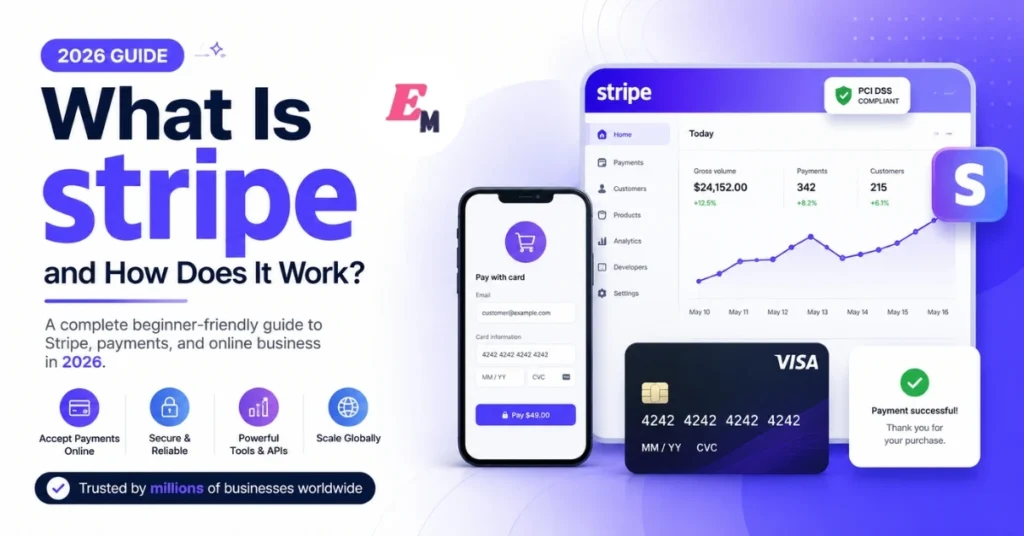

Accepting online payments can feel confusing for a new business owner. You may need card processing, fraud protection, invoices, subscriptions, reports, and bank payouts.
Stripe brings many of these services together on one platform. Therefore, businesses can manage payments without building every financial tool from the beginning.
This guide explains how Stripe works for small businesses, online stores, freelancers, SaaS companies, and marketplaces. You will also learn about Stripe fees, security, payment methods, setup steps, benefits, limitations, and alternatives.
Stripe Definition
Stripe is an online payment and financial technology platform. It helps businesses accept card payments, digital wallets, bank payments, subscriptions, and other payment methods. Businesses can use Stripe through hosted payment pages, no-code tools, plugins, mobile software, or custom application programming interfaces, also known as APIs.
Stripe is often called a payment gateway or payment processor. However, it offers much more than basic card processing.
Its wider product range includes:
- Online and in-person payments
- Payment links
- Recurring subscription billing
- Customer invoicing
- Marketplace payments
- Fraud prevention
- Tax calculation
- Financial reports
- Business card issuing
- International payment support
As a result, Stripe can support both simple businesses and complex digital platforms.
How Does Stripe Payment Processing Work?
When a customer pays through Stripe, several systems communicate behind the scenes. Although the process looks simple, it involves Stripe, card networks, banks, and sometimes customer authentication.
Here is how Stripe works during a typical card payment.
1. The Customer Starts the Payment
First, the customer enters payment information on a checkout page. They may use a credit card, debit card, digital wallet, or another available payment method.
The payment page may appear on the business website, inside an application, or on a Stripe-hosted checkout page.
2. Stripe Checks the Payment Information
Next, Stripe checks whether the payment details use the correct format. For example, it can identify an expired card date or missing information.
However, this first check does not confirm that the bank will approve the payment.
3. Customer Authentication May Be Required
Some banks require an additional security step. For example, the customer may need to enter a one-time code or approve the transaction through their banking application.
This process can help meet authentication rules such as 3D Secure or Strong Customer Authentication.
4. The Bank Reviews the Transaction
Stripe sends the payment request through the relevant card network to the customer’s bank.
The bank checks several factors, including:
- Available funds or credit
- Card status
- Spending limits
- Fraud signals
- Authentication results
The bank then approves or declines the transaction.
5. Stripe Shows the Result
Stripe receives the bank’s decision and returns it to the website or application.
If the bank approves the payment, the customer normally sees a success message. Meanwhile, the business can receive an automatic event notification through a webhook.
6. The Payment Moves Into the Stripe Balance
Approved funds first appear as pending in the business’s Stripe balance. Once settlement finishes, they move into the available balance.
Settlement time depends on the business location, payment method, industry, and account history. For example, a standard US card transaction may take two business days to become available, but timing differs across markets.
7. Stripe Sends a Payout
Finally, Stripe sends available funds to the connected bank account based on the selected payout schedule.
A new Stripe account’s first payout is commonly scheduled 7 to 14 days after its first successful live payment. Later payouts follow the account’s daily, weekly, monthly, or manual payout settings.
Therefore, businesses should not assume every payment will reach their bank account within one or two days.
What Payment Methods Does Stripe Support?
Stripe supports cards, digital wallets, bank-based payments, buy-now-pay-later services, and many local payment methods.
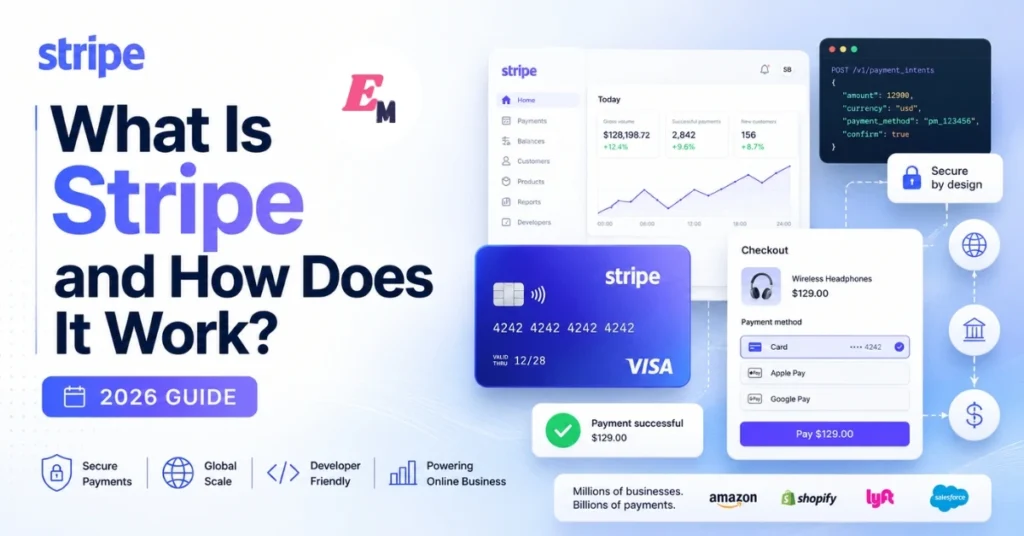
Depending on the business country and integration, payment options may include:
- Visa, Mastercard, American Express, and other cards
- Apple Pay and Google Pay
- ACH Direct Debit
- Bank transfers
- Klarna
- Alipay
- iDEAL
- SEPA Direct Debit
- Link
- Selected stablecoin payments
Stripe states that its platform can support more than 100 payment methods and payments in over 135 currencies. However, not every method is available in every country, currency, or business category.
For example, a US customer may prefer a card or Apple Pay. In contrast, a European customer may prefer a local bank payment method.
Offering familiar local options can make checkout easier. Even so, businesses should enable only the methods that match their market and accounting needs.
How Much Does Stripe Cost?
Stripe pricing depends on the business country, payment method, product, and transaction type.
As of July 20, 2026, Stripe’s standard US pricing includes:
| Transaction type | Standard US fee |
|---|---|
| Domestic online card | 2.9% + 30¢ |
| Manually entered card | Base fee plus 0.5% |
| International card | Base fee plus 1.5% |
| Currency conversion | Additional 1% |
| Domestic in-person card | 2.7% + 5¢ |
| ACH Direct Debit | 0.8%, capped at $5 |
| Instant Payout | 1.5%, with a minimum fee |
Stripe’s standard payment plan has no general setup fee or monthly payment-processing fee. However, extra products such as Billing, Tax, Sigma, custom domains, invoicing, and advanced fraud tools may have separate charges.
Pricing also changes by country. Therefore, always review the local Stripe pricing page before publishing fee information or calculating profit margins.
Practical Stripe Fee Example
Suppose a US customer makes a $100 domestic card payment.
With a fee of 2.9% plus 30 cents:
- Percentage fee: $2.90
- Fixed fee: $0.30
- Total processing fee: $3.20
- Remaining amount before other costs: $96.80
This example does not include refunds, disputes, international card charges, currency conversion, taxes, or paid Stripe products.
Why Businesses Use Stripe
Businesses choose Stripe for different reasons. However, its flexibility is one of its strongest advantages.
Several Ways to Start
A business does not always need a developer.
Stripe Payment Links lets a seller create a reusable payment page without writing code. The link can be shared through email, social media, messaging applications, or a website.
Stripe also offers:
- Hosted Checkout pages
- Embedded checkout forms
- Prebuilt Elements
- Plugins and partner integrations
- Custom APIs
Therefore, a freelancer can begin with a payment link, while a software company can create a custom checkout system.
Strong Subscription Tools
Stripe Billing supports recurring payments, trials, discounts, prorations, invoicing, customer self-service, and automated payment recovery.
For example, a SaaS business can charge customers monthly. Meanwhile, a usage-based platform can bill customers according to the amount of a service they consume.
Marketplace Payment Support
Stripe Connect helps marketplaces and software platforms manage payments between several parties.
A platform can use Connect to:
- Onboard sellers
- Verify connected accounts
- Accept customer payments
- Route funds to sellers
- Control payout timing
- Collect platform fees
- Manage payment records
Connect is designed for marketplaces and platforms that move money between customers, vendors, service providers, and other connected users.
Online and In-Person Payments
Stripe Terminal adds support for physical card readers and compatible Tap to Pay devices. It can also bring online and in-person payment records into one system.
This option may help a business that sells through both a website and a physical location.
Is Stripe Safe?
Stripe provides security tools, but payment security remains a shared responsibility.
Stripe is certified as a PCI Level 1 Service Provider. This is the highest service-provider certification level under the Payment Card Industry Data Security Standard.
However, a business must still use Stripe correctly and complete its own required compliance steps.
Safer integrations send sensitive payment details directly to Stripe instead of passing them through the business’s server. Consequently, the business may reduce its exposure to raw card information.
Stripe Radar Fraud Protection
Stripe Radar reviews payment attempts in real time. It uses risk signals and AI-based systems to identify potentially fraudulent transactions.
Depending on the Radar plan, businesses may also:
- Block high-risk payments
- Send payments for manual review
- Create custom fraud rules
- Request 3D Secure authentication
- Maintain allow lists and block lists
- Review payment risk information
Nevertheless, no fraud system can stop every bad transaction. Businesses should balance fraud controls with the risk of blocking genuine customers.
Stripe Security Best Practices
Businesses should also:
- Enable two-factor authentication.
- Give each staff member a separate account.
- Limit permissions by job role.
- Keep secret API keys on the server.
- Never place secret keys in public website code.
- Verify webhook signatures.
- Review unusual refunds and payouts.
- Test fraud rules before applying them.
- Keep website software and plugins updated.
- Remove access when an employee leaves.
Stripe Use Cases
Stripe can serve many business models. However, it is particularly useful for digital-first businesses.
Common use cases include:
- Online stores
- SaaS subscriptions
- Membership websites
- Freelancers and agencies
- Online education platforms
- Mobile applications
- Donation pages
- Booking platforms
- Multi-vendor marketplaces
- Business-to-business invoicing
- Usage-based software
- Hybrid online and physical retail
For example, an agency may use Stripe Invoicing to collect client payments. On the other hand, a marketplace may use Connect to divide payments between the platform and its sellers.
Stripe vs PayPal, Square, Authorize.Net, and Braintree
No payment platform is best for every company. The right choice depends on your sales channels, customers, technical resources, and required features.
| Platform | Practical fit | Important consideration |
| Stripe | Custom online checkout, SaaS, subscriptions, mobile apps, and marketplaces | Advanced integrations may require development work. |
| PayPal | Businesses that want PayPal, Venmo, card payments, and a familiar consumer wallet | US pricing varies by payment type. PayPal Checkout is listed at 3.49% plus a fixed fee, while standard card processing uses different rates. |
| Square | Retail stores, restaurants, salons, appointments, and other in-person businesses | Square combines point-of-sale tools with online payments. US Free-plan fees include 2.6% + 15¢ for many in-person payments and 3.3% + 30¢ for many online payments. |
| Authorize.Net | Businesses that already have a merchant account or prefer a traditional gateway arrangement | Its US gateway plans include a $25 monthly fee. The all-in-one plan lists 2.9% + 30¢ per transaction. |
| Braintree | Developer-led businesses that want cards and PayPal through one integration | It supports recurring billing and several payment methods, but integration commonly requires technical knowledge. |
Stripe vs PayPal
Choose Stripe when you need deeper checkout control, advanced subscriptions, usage-based billing, or marketplace payment routing.
Choose PayPal when customers strongly prefer paying through PayPal or Venmo. However, compare the exact fees for cards, PayPal Checkout, international payments, and currency conversion.
Some businesses use both. For example, Stripe can process cards while PayPal remains available as an extra wallet option.
Stripe vs Square
Square may be easier for a small physical store that needs point-of-sale software, staff tools, appointments, and hardware.
In contrast, Stripe may be more suitable for a custom application, international online service, SaaS platform, or complex marketplace.
Stripe vs Authorize.Net
Authorize.Net may fit a company that already has a separate merchant account or needs a traditional gateway arrangement.
Stripe offers a more unified platform with modern hosted checkout, APIs, subscriptions, Connect, Tax, and other integrated products.
Stripe vs Braintree
Both platforms provide developer tools, recurring payments, and several payment methods.
Braintree may be attractive when PayPal acceptance is central to the checkout experience. Stripe, however, offers a wider connected product ecosystem for billing, tax, reporting, marketplaces, and in-person payments.
Stripe Advantages and Disadvantages
Advantages
- No general setup fee for standard payment processing
- Hosted and custom checkout options
- No-code Payment Links
- Support for recurring billing
- Marketplace payment tools
- International payment capabilities
- Detailed developer documentation
- Built-in fraud tools
- Online and in-person payment support
- Large integration ecosystem
Disadvantages
- Advanced features may require a developer
- Fees can increase for international cards and currency conversion
- Extra Stripe products may carry separate charges
- Payout timing varies by country and risk level
- The first payout may take longer than later payouts
- Some industries face restrictions or additional reviews
- Stripe business accounts are not directly available in every country
- A suspended or reviewed account can disrupt cash flow
Stripe currently supports business accounts only in its listed countries and regions. Businesses outside those locations should not use false addresses, borrowed documents, or misleading company information to open an account.
How to Set Up Stripe for Your Business
Step 1: Check Country and Business Eligibility
Before registering, confirm that Stripe supports businesses in your country or region.
Next, review Stripe’s restricted and prohibited business rules. Your website should clearly explain what you sell, your prices, delivery terms, refund policy, contact details, and business identity.
Step 2: Create Your Stripe Account
Register with accurate personal and business information.
Stripe may request additional verification before enabling payments or payouts. Therefore, keep your business registration, bank details, identification, and website information consistent.
Step 3: Secure the Account
Create a strong password and enable two-factor authentication immediately.
In addition, do not share one login among several employees. Use Stripe’s team access controls instead.
Step 4: Choose an Integration
Select the simplest integration that meets your needs:
- Payment Links: Best for quick, no-code sales
- Invoicing: Best for collecting payment from a specific client
- Checkout: Best for a Stripe-hosted payment page
- Embedded Checkout: Best for keeping the form on your website
- Elements: Best for a more customized user interface
- PaymentIntents API: Best for advanced payment flows
Stripe classifies these options from no-code tools through advanced API integrations.
Step 5: Add Products and Prices
Create clear product names, prices, currencies, and billing intervals.
For subscriptions, decide whether customers pay weekly, monthly, yearly, or according to usage.
Step 6: Enable Suitable Payment Methods
Choose payment methods based on customer location and device.
However, avoid enabling every available method without reviewing its fees, settlement time, refund process, and accounting effect.
Step 7: Customize the Checkout
Add your logo, brand colors, support details, policies, and return information.
A professional checkout should also show:
- Product or service name
- Full price
- Billing frequency
- Taxes and delivery charges
- Cancellation terms
- Refund conditions
- Contact information
Step 8: Test the Complete Payment Journey
Use Stripe’s testing environment before accepting real payments.
Test:
- Successful payments
- Declined payments
- Required authentication
- Refunds
- Failed subscriptions
- Coupon codes
- Tax calculations
- Webhook events
- Confirmation emails
- Mobile checkout
- Duplicate form submissions
Testing reduces avoidable customer complaints and technical errors.
Step 9: Switch to Live Payments
After testing, replace test credentials with live credentials and complete a small real transaction.
Next, confirm that the payment, email, order record, refund process, and webhook automation work correctly.
Step 10: Monitor Payments and Payouts
Review the Stripe Dashboard regularly.
Watch for:
- Failed payments
- Refund increases
- Disputes
- Unusual payment locations
- Large transactions
- Payout delays
- Negative balances
- Expiring payment methods
Advanced Stripe Features
Stripe Billing
Stripe Billing manages subscriptions, recurring invoices, pricing plans, trials, prorations, and payment recovery.
It is useful for SaaS products, memberships, retainers, and recurring services.
Stripe Connect
Connect supports SaaS platforms and marketplaces that collect and distribute money between several parties.
It can also provide seller onboarding, account management, payment routing, payouts, and platform reporting.
Stripe Tax
Stripe Tax can calculate sales tax, value-added tax, and goods and services tax using factors such as customer location, seller location, product type, and registration details.
Even so, businesses remain responsible for understanding where they must register and file taxes.
Stripe Radar
Radar provides real-time fraud screening. Advanced plans add custom rules, manual reviews, risk insights, and more control over fraud decisions.
Stripe Terminal
Terminal helps businesses accept in-person card payments using supported readers and Tap to Pay devices.
It is especially useful when a business wants to manage online and physical payments through one Stripe account.
Stripe Sigma
Stripe Sigma provides an interactive reporting environment for analyzing Stripe data.
For example, a finance team can study transactions, customers, invoices, disputes, and payouts through customized queries and reports. Stripe lists Sigma as a separately priced product.
Webhooks and Automation
Webhooks notify a business system when an important Stripe event occurs.
Common events include:
- Payment success
- Payment failure
- Subscription renewal
- Subscription cancellation
- Refund completion
- Dispute creation
- Invoice payment failure
A business can use these events to update an order, activate a subscription, send an email, or alert a team member.
When Should You Choose Stripe?
Stripe may be a strong choice when your business:
- Operates mainly online
- Needs custom checkout control
- Sells subscriptions
- Charges customers by usage
- Serves international buyers
- Runs a marketplace
- Has developer support
- Plans to add more financial tools later
- Wants online and in-person payment records together
An alternative may be better when your business:
- Mainly needs a simple physical point-of-sale system
- Has no technical support for a complex integration
- Depends heavily on a specific customer wallet
- Operates in a country where Stripe business accounts are unavailable
- Works in an unsupported or high-risk industry
- Already has a suitable merchant account and gateway agreement
Overall, choose a payment platform based on your real business model rather than brand popularity alone.
Final Thoughts
Understanding how Stripe works helps you make a better payment decision.
Stripe can begin as a simple way to collect one payment. Later, the same platform can support subscriptions, invoices, marketplaces, tax calculations, in-person payments, fraud controls, and financial reporting.
However, Stripe is not automatically the best choice for every business. Review its country availability, processing fees, payout schedule, technical requirements, and business restrictions before registering.
Finally, test your complete payment process before launching. A reliable checkout does more than collect money. It protects customer trust, reduces support problems, and gives your business a stronger foundation for growth.
7. Frequently Asked Questions
What is Stripe used for?
Stripe helps businesses accept and manage online or in-person payments. It also supports invoicing, subscriptions, fraud prevention, marketplace payouts, tax tools, and financial reporting.
How does Stripe work for small businesses?
A small business creates a Stripe account, chooses a payment method, connects a bank account, and adds a checkout option. Stripe processes customer payments and later sends available funds to the business bank account.
Does Stripe charge a monthly fee?
Stripe’s standard US payment-processing plan does not have a general monthly fee. However, products such as Billing, Tax, Sigma, custom domains, and certain advanced services may have additional charges.
How long does Stripe take to pay businesses?
The first payout is commonly scheduled 7 to 14 days after the first successful live payment. Later payout and settlement times depend on the country, industry, payment method, risk level, and payout schedule.
Is Stripe better than PayPal?
Stripe may be better for custom checkout, SaaS billing, APIs, and marketplaces. PayPal may be better when customers strongly prefer PayPal or Venmo. Many businesses offer both options.