

Payoneer vs Stripe: Which Payment Platform Is Better for Your Business?
Choosing between Payoneer vs Stripe depends on how your business gets paid. Payoneer is often a better fit for freelancers, agencies, marketplace sellers, and global service providers. Stripe is usually stronger for ecommerce stores, SaaS companies, subscriptions, and businesses that need a flexible online payment gateway.
Both platforms help businesses receive money from customers in different countries. However, they solve different payment problems. Therefore, the best choice is not always the cheapest one. It depends on your sales channel, customer location, payment method, and cash flow needs.
Small businesses are also moving away from traditional banks for some payment needs. McKinsey reported that fintechs and other nonbank providers are gaining ground with SMEs, especially in cross-border payments. In one survey, 35% to 50% of SMEs across several regions had used a fintech or nontraditional provider for cross-border payments in the past year.
This guide compares Payoneer vs Stripe in simple language. You will learn their key features, fees, pros, cons, and best use cases.
Quick Answer: Payoneer vs Stripe
Payoneer is best for freelancers, contractors, online sellers, and businesses that receive international payouts from marketplaces. Stripe is best for online stores, SaaS platforms, subscription businesses, and companies that need advanced checkout tools.
For example, a freelancer getting paid from Upwork, Fiverr, or international clients may prefer Payoneer. On the other hand, an ecommerce store selling products through its own website will usually get more value from Stripe.
Payoneer vs Stripe Comparison Table
| Feature | Payoneer | Stripe |
|---|---|---|
| Best for | Freelancers, marketplace sellers, global payouts | Ecommerce, SaaS, subscriptions, online checkout |
| Account setup | Usually free | No setup fee on standard pricing |
| Main strength | Receiving and sending international business payments | Accepting online payments from customers |
| Card payments | Available in selected cases, fees can apply | Strong card and wallet payment support |
| Bank transfers | Strong for global receiving accounts and withdrawals | Supports bank-based payment methods depending on country |
| Currency support | Payoneer says pricing covers 190+ countries and 70+ currencies | Stripe supports charges in 135+ currencies |
| Marketplace payouts | Strong | Available, but not its main freelancer use case |
| Subscription billing | Limited compared with Stripe | Strong Stripe Billing tools |
| API and integrations | More limited | Very strong developer tools and integrations |
| Instant payouts | Not the main focus | Available for eligible accounts with an extra fee |
| Best business type | Freelancers, agencies, global sellers | Ecommerce, SaaS, platforms, marketplaces |
Stripe says its standard pricing includes no setup fees, monthly fees, or hidden fees, while its platform supports 100+ payment methods and 135+ currencies in many markets. Payoneer says it helps businesses receive, send, and manage cross-border payments across 190+ countries and territories and 70+ currencies, although exact availability can vary by account and region.
What Is Payoneer?
Payoneer is a global business payment platform. It helps freelancers, online sellers, agencies, contractors, and companies receive international payments, hold balances, pay suppliers, and withdraw funds to bank accounts.
It is popular with people who earn money from global marketplaces. For example, sellers and service providers often use Payoneer to receive payouts from platforms such as Fiverr, Upwork, eBay, Airbnb, and other partner networks. Payoneer says it connects with more than 2,000 marketplaces, platforms, and networks.
Payoneer is useful when your customers or platforms already support Payoneer payouts. In that case, it can make global payments easier to manage from one account.
What Is Stripe?
Stripe is a payment processing platform for online and in-person businesses. It helps businesses accept debit cards, credit cards, digital wallets, bank payments, subscriptions, invoices, and other payment methods.
Stripe is especially popular with ecommerce stores, SaaS companies, digital product sellers, and platforms that need custom checkout systems. It offers developer-friendly APIs, prebuilt checkout pages, fraud tools, billing features, and integrations with many business apps.
Stripe also supports recurring billing through Stripe Billing. Stripe says its Billing product can manage subscriptions, usage-based billing, invoicing, trials, renewals, and payment collection.
Key Similarities Between Payoneer and Stripe
Payoneer and Stripe both support international business payments. They also help companies work with customers, clients, or partners outside their home country.
Both Support Global Payments
Both platforms are built for global business. Payoneer focuses more on receiving and sending cross-border business payments. Stripe focuses more on accepting customer payments through checkout pages, cards, wallets, and local payment methods.
Both Can Help Small Businesses Scale
A small business may start with local clients. However, as it grows, it may need to receive money in foreign currencies, pay international suppliers, or accept online orders from other countries. Both Payoneer and Stripe can support that journey.
Both Have Online Dashboards
Both platforms offer dashboards where users can manage balances, transactions, withdrawals, and account settings. In addition, both provide digital access, so business owners do not need to visit a bank branch for every payment task.
Both Charge Transaction-Based Fees
Neither platform is simply “free.” Instead, costs depend on how you receive money, where the payer is located, which payment method is used, and whether currency conversion is needed. Therefore, you should compare fees based on your real payment flow.
Key Differences Between Payoneer and Stripe
Although Payoneer and Stripe both handle business payments, they are not the same type of tool.
Payoneer Is Stronger for Marketplace and Freelancer Payments
Payoneer works well for freelancers, contractors, remote teams, agencies, and marketplace sellers. It is often used to receive funds from global platforms and withdraw them to a local bank account.
For example, a designer in Pakistan working with overseas clients may use Payoneer to receive payments in USD or another supported currency. Likewise, an Amazon or eBay seller may use Payoneer to collect marketplace payouts.
Stripe Is Stronger for Online Checkout
Stripe is better when you need to collect payments directly from customers on your website or app. It supports card payments, wallets, checkout pages, payment links, subscriptions, and custom payment flows.
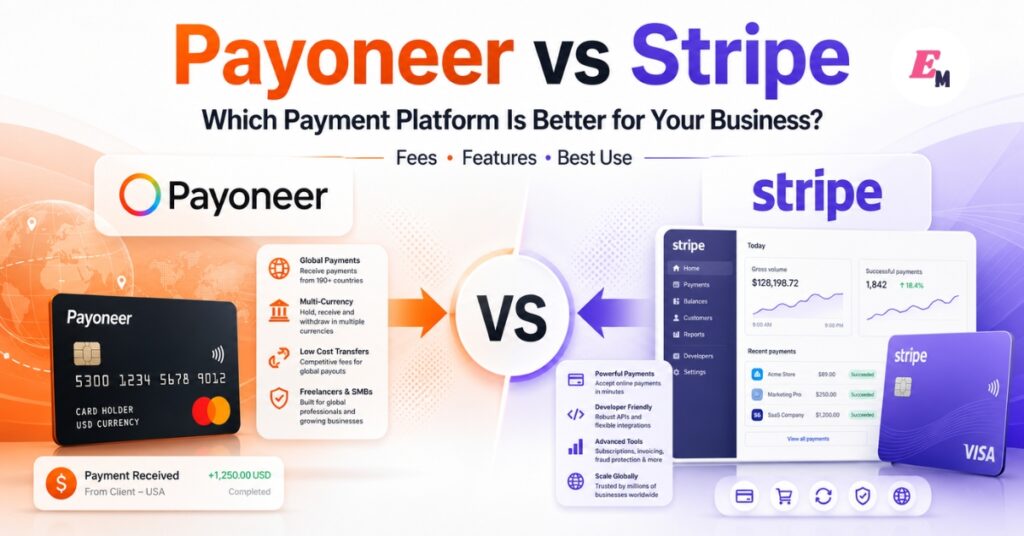
For example, an online clothing store can use Stripe Checkout to accept debit cards, credit cards, Apple Pay, Google Pay, and other supported methods. As a result, customers can pay quickly without needing a Payoneer account.
Stripe Offers Better Subscription Tools
Stripe has a clear advantage for recurring billing. It supports subscriptions, invoice automation, trials, renewals, upgrades, downgrades, and usage-based pricing. Stripe Billing has pay-as-you-go pricing at 0.7% of billing volume for many standard users, excluding one-off invoices.
Payoneer can help businesses receive payments and send invoices, but it is not mainly designed as a subscription management platform.
Payoneer Is Often Easier for Receiving Marketplace Payouts
If your income comes from platforms that already pay through Payoneer, setup can be simple. You connect your Payoneer account to the platform, receive the payout, and withdraw funds to your bank.
Stripe is more powerful for custom checkout, but it may require more setup if you are building your own payment system.
Payoneer vs Stripe Fees
Fees are one of the most important parts of the Payoneer vs Stripe comparison. However, fee tables can be confusing because each platform charges based on different actions.
Always check your live account dashboard before making a final decision. Payoneer notes that fees can vary by country, currency, payment method, account type, and onboarding channel.
Stripe Fees
For US businesses, Stripe’s standard online card pricing is commonly listed as 2.9% + $0.30 per successful domestic card transaction. Stripe also lists extra fees for international cards and currency conversion.
Stripe’s pricing can include:
| Stripe fee type | Typical cost |
| Domestic online card payment in the US | 2.9% + $0.30 |
| International card extra fee | +1.5% |
| Currency conversion | +1% if required |
| Stripe Billing pay-as-you-go | 0.7% of billing volume |
| Instant payouts in the US | 1.5% from June 2024 |
| Chargeback fee | Often $15 in the US |
Stripe announced that the US Instant Payouts fee increased from 1% to 1.5% per payout from June 1, 2024, while standard payouts remain free on the normal schedule.
Payoneer Fees
Payoneer uses a different fee model. It is more focused on account-to-account payments, marketplace payouts, receiving accounts, withdrawals, and currency management.
Payoneer’s current pricing page lists these common fees:
| Payoneer fee type | Typical cost |
| Receive from another Payoneer customer balance | Free |
| Receive via local-currency receiving account | Free |
| Receive via receiving account in a non-local currency | 1%, minimum $1 or equivalent |
| Receive from payer using credit card | Up to 3.99% + $0.49 or equivalent |
| Receive from payer using ACH bank debit in the US | 1% |
| Receive from payer using EU or UK bank account | 1% |
| Receive from PayPal in the US | Up to 3.99% + $0.49 or equivalent |
| Move funds between Payoneer balances | 0.50% |
| Withdraw to bank | Depends on route, country, and currency |
Payoneer states that withdrawing to a bank account in the same country and local currency can be $1.50 in some cases. Other bank transfers may range from 1.2% to 4%, depending on the route and currency.
Payoneer Benefits
Payoneer has several advantages for businesses that work internationally.
Good for Freelancers and Contractors
Payoneer is useful for freelancers who work with overseas clients. Instead of waiting for slow bank wires, freelancers can receive payments through Payoneer and withdraw them to a local bank account.
Strong Marketplace Support
Payoneer is widely used for marketplace payouts. Therefore, it can be convenient if you sell on global platforms or receive money from partner networks.
Free Payoneer-to-Payoneer Receiving
Receiving funds from another Payoneer customer balance can be free. This can help reduce costs when both sides already use Payoneer.
Multi-Currency Business Use
Payoneer supports cross-border collections, balances, withdrawals, and supplier payments. This is helpful for businesses that work with clients in different countries.
Payoneer Limitations
Payoneer is not perfect for every business.
Less Powerful Checkout Tools
Payoneer is not as strong as Stripe for building a modern ecommerce checkout. If your main goal is to accept card payments on your website, Stripe usually offers more tools.
Currency and Withdrawal Fees Can Add Up
Payoneer can be cost-effective in some flows. However, fees may increase when currency conversion, credit card payments, or international withdrawals are involved.
Not Ideal for SaaS Subscriptions
Payoneer is not the best choice for subscription billing. If you need automatic monthly billing, failed payment recovery, customer portals, and usage-based pricing, Stripe is usually better.
Stripe Benefits
Stripe has major advantages for online businesses.
Excellent for Ecommerce
Stripe helps businesses accept payments directly on their websites. It supports checkout pages, card payments, wallets, payment links, fraud tools, and local payment methods.
Strong Developer Tools
Stripe is known for its APIs and documentation. Developers can build custom payment flows, marketplaces, subscription systems, and platform payment features.
Subscription and Recurring Billing
Stripe is a strong option for SaaS companies, membership sites, subscription boxes, and online services. It can manage subscription lifecycles, invoices, renewals, trials, and failed payments.
Fast Payout Options
Stripe offers standard payouts and instant payout options for eligible accounts. This can help businesses manage cash flow when they need funds quickly.
Stripe Limitations
Stripe also has some downsides.
More Complex for Beginners
Stripe can feel technical for non-developers. Although Stripe Checkout and Payment Links are easier options, advanced features may require developer help.
Fees Can Rise for International Cards
Stripe’s base card fee may look simple. However, international cards, currency conversion, billing tools, disputes, and instant payouts can increase total cost.
Not Always Available Everywhere
Stripe availability depends on the country where your business is registered. Therefore, some entrepreneurs may not be able to open a Stripe account directly in their country.
Best Use Cases: When to Choose Payoneer
Choose Payoneer if your business mainly receives international payouts from clients, platforms, or marketplaces.
Payoneer may be better if:
- You are a freelancer or agency.
- You sell on global marketplaces.
- You receive payments from platforms like Fiverr, Upwork, eBay, or similar networks.
- You need local receiving account details in supported currencies.
- You want to pay contractors, suppliers, or remote workers.
- Your customers or partners already use Payoneer.
- You do not need advanced subscription billing.
For example, a freelance writer who receives monthly payments from international clients may prefer Payoneer. It offers a practical way to receive funds and move money to a local bank.
Best Use Cases: When to Choose Stripe
Choose Stripe if your business needs to accept payments directly from customers online.
Stripe may be better if:
- You run an ecommerce store.
- You sell digital products.
- You run a SaaS business.
- You need subscription billing.
- You want to accept cards and wallets.
- You need a strong API.
- You want checkout customization.
- You need fraud tools and dispute workflows.
For example, a software company charging users every month will usually prefer Stripe. Its subscription billing tools can reduce manual work and improve payment recovery.
Payoneer vs Stripe for Freelancers
Payoneer is usually the better choice for freelancers. It is built around receiving international business payments and marketplace payouts.
A freelancer may not need a full payment gateway. Instead, they need a reliable way to receive money from overseas clients and withdraw it locally. In that case, Payoneer is simple and practical.
However, Stripe can still be useful for freelancers who sell fixed-price services through a website. For example, a consultant selling paid calls or digital products may use Stripe Payment Links.
Payoneer vs Stripe for Ecommerce
Stripe is usually better for ecommerce. It gives online stores more control over checkout, payment methods, fraud screening, and customer experience.
For example, a Shopify-style store or custom WooCommerce store can benefit from Stripe’s card and wallet support. Stripe also helps businesses present prices in many currencies and accept payments from customers around the world.
Payoneer may still help ecommerce sellers receive marketplace payouts. However, for direct website checkout, Stripe is normally the stronger tool.
Payoneer vs Stripe for SaaS
Stripe is the clear winner for SaaS. Subscription businesses need more than payment collection. They also need automatic billing, plan changes, trial periods, usage billing, invoices, customer portals, and failed payment handling.
Stripe Billing is designed for these workflows. Therefore, SaaS companies usually choose Stripe unless they only need simple invoice payments.
Payoneer vs Stripe for International Payments
Payoneer is strong for receiving and sending international business payments. Stripe is strong for accepting payments from international customers.
The difference is important. If you invoice clients and withdraw funds, Payoneer may be easier. If customers buy through your website checkout, Stripe is usually better.
Some businesses may use both. For example, an agency may use Stripe to collect website payments and Payoneer to receive marketplace payouts or pay international contractors.
Wise Note for Stripe Users
Some Stripe users may also connect Wise account details to receive Stripe funds in certain supported currencies. Wise says users can link Wise account details to Stripe, but not all currencies or account details work. Therefore, you should check availability inside both platforms before relying on this setup.
This does not replace the Payoneer vs Stripe decision. Instead, it may be useful for businesses that already use Stripe and want another way to manage international receiving.
Common Mistakes to Avoid
Choosing Based Only on Brand Name
Stripe and Payoneer are both well-known. However, the better choice depends on your payment workflow, not the logo.
Ignoring Currency Conversion
A low transaction fee can become expensive after currency conversion. Always calculate the full cost from customer payment to final bank withdrawal.
Forgetting About Chargebacks
Card payments can lead to disputes and chargebacks. If your business sells physical goods, digital products, or high-risk services, dispute management matters.
Not Checking Country Availability
Stripe and Payoneer features can vary by country. Before you publish a guide or open an account, check what is available in your region.
Using One Platform for Every Payment Flow
One platform may not solve every problem. Some global businesses use Payoneer for marketplace payouts and Stripe for online checkout.
Expert Tips for Choosing the Right Platform
First, list how your business gets paid. Do customers pay by card, bank transfer, marketplace payout, or invoice?
Next, calculate the full cost of your top three payment routes. Include card fees, platform fees, currency conversion, withdrawal charges, and payout speed.
Then, think about customer experience. If customers expect Apple Pay, Google Pay, or one-click checkout, Stripe may improve conversion. However, if clients prefer bank transfers or platform payouts, Payoneer may feel easier.
Finally, test with a small amount before moving large payment volume. This helps you understand fees, payout timing, account checks, and support quality.
Final Verdict: Payoneer vs Stripe
Payoneer and Stripe are both useful, but they serve different business needs.
Choose Payoneer if you are a freelancer, marketplace seller, agency, or global service provider receiving international payouts. It is practical for cross-border business payments, marketplace connections, and bank withdrawals.
Choose Stripe if you run an ecommerce store, SaaS product, membership site, or online checkout system. It offers stronger payment methods, better subscription tools, and more advanced integrations.
Overall, Payoneer is better for getting paid from platforms and clients. Stripe is better for accepting payments from customers on your own website or app.
FAQs About Payoneer vs Stripe
Payoneer is better for freelancers, agencies, and marketplace sellers that receive international payouts. Stripe is better for ecommerce, SaaS, subscriptions, and online checkout.
Stripe can be cheaper for direct card payments in some cases, especially for domestic transactions. However, international cards, currency conversion, billing tools, and instant payouts can increase costs. Payoneer may be cheaper when receiving from another Payoneer user, but other payment routes may include fees.
Yes. Many businesses can use both. For example, you can use Stripe to accept payments on your website and Payoneer to receive marketplace payouts or manage international business payments.
Payoneer is useful for ecommerce sellers who receive payouts from marketplaces. However, Stripe is usually better for ecommerce stores that need a checkout system on their own website.
Stripe can work for freelancers who sell services through payment links or websites. However, Payoneer is often easier for freelancers who receive payments from international clients or freelance platforms.