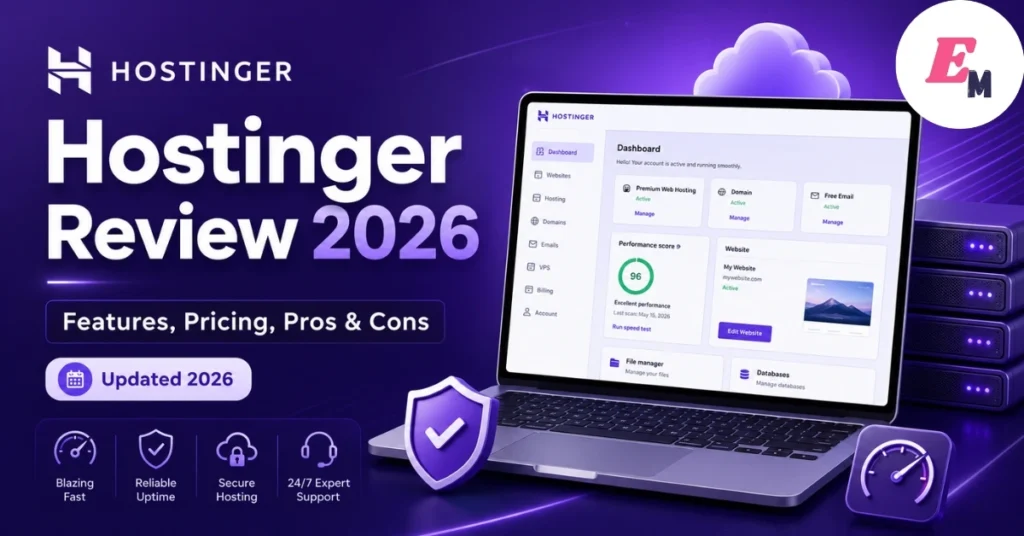

Hostinger Review 2026: Is It Worth It for Your Website?
Hostinger is a popular web hosting company known for low prices, beginner-friendly tools, and a clean hosting dashboard. It offers web hosting, WordPress hosting, cloud hosting, VPS hosting, domains, email tools, and a website builder. Because of this, many beginners use Hostinger to launch blogs, business websites, portfolios, and small online stores.
In this Hostinger review 2026, we will look at its main features, pricing, performance, pros, cons, and best use cases. Moreover, this guide will help you decide whether Hostinger is a good choice for your website or whether you should consider another hosting provider.
What Is Hostinger?
Hostinger is a web hosting provider that helps users publish websites online without managing their own servers. It provides hosting plans, a control panel, SSL certificates, website migration, backups, WordPress tools, and AI website features. In simple words, Hostinger gives you the space, tools, and support needed to create and run a website from one dashboard.
Hostinger is mainly popular because it offers a strong mix of affordability and ease of use. However, it is not only for beginners. Developers can also use its VPS hosting plans when they need more control, dedicated resources, and root access.
Hostinger Review 2026: Quick Verdict
Hostinger is a strong choice for beginners, bloggers, small business owners, affiliate marketers, and WordPress users who want affordable hosting with useful features. Its dashboard is easy to understand, and its plans include helpful tools such as free SSL, website migration, backups, and a website builder.
However, Hostinger is not perfect for every user. It does not offer phone support, and users who need a dedicated bare-metal server may need another provider. Even so, Hostinger remains a practical option for most small and medium websites.
Hostinger Pros and Cons
Pros of Hostinger
Hostinger offers good value for users who want a simple and affordable hosting service. Its plans include many features that usually cost extra with some hosting companies.
Key benefits include:
- Beginner-friendly hPanel dashboard
- Free SSL certificates
- Free website migration
- Free domain on selected annual plans
- WordPress tools and one-click installation
- AI website builder and AI site tools
- Weekly or daily backups, depending on the plan
- Cloud and VPS upgrade options
- 30-day money-back guarantee for eligible services
- 24/7 live chat support
In addition, Hostinger uses LiteSpeed-based hosting technology on managed hosting, which can help improve WordPress performance when combined with proper caching and optimization.
Cons of Hostinger
Hostinger also has a few limitations. Although these issues may not affect every user, they are important to know before buying a plan.
Main drawbacks include:
- No phone support
- Cheapest plans may have fewer resources
- Best prices usually require long-term payment
- Renewal prices are higher than introductory prices
- No dedicated server hosting
- Some refunds have exclusions, especially domains and certain add-ons
Therefore, you should read the plan details carefully before you buy. This is especially important if you are choosing a long-term plan to get the lowest monthly price.
Hostinger Pricing and Plans
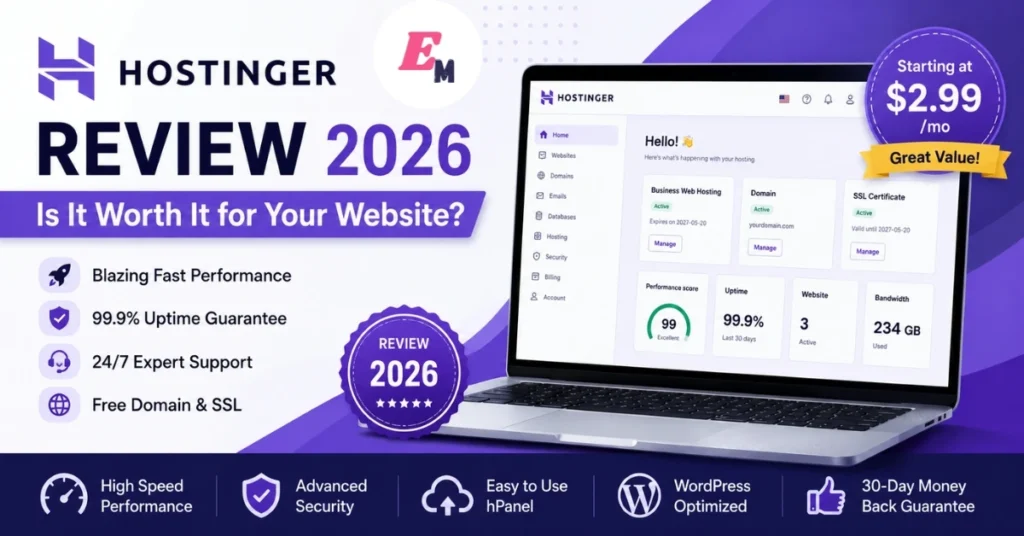
Hostinger pricing can change based on country, promotion, plan length, and renewal terms. As of the current official pricing page, Hostinger’s web hosting plans include Premium, Business, and Cloud Startup options. For example, the official global pricing page lists Premium from $2.99/month, Business from $3.99/month, and Cloud Startup from $7.99/month on long-term promotional deals. These plans renew at higher monthly rates.
Hostinger Premium Plan
The Premium plan is suitable for beginners who want to start a blog, portfolio, small business website, or simple WordPress site. It includes hosting for up to 3 websites, 20 GB SSD storage, free SSL, weekly backups, and a free domain for one year on eligible annual plans.
This plan is best for users who do not expect heavy traffic at the start. However, if your site grows quickly, you may later need to upgrade to Business or Cloud hosting.
Hostinger Business Plan
The Business plan is a better option for users who need more resources and extra features. It supports more websites, includes NVMe storage, daily and on-demand backups, free CDN, and extra WordPress tools.
For example, a small online store, agency website, or content-heavy blog may benefit from this plan. In addition, daily backups can be useful if you update your website often.
Hostinger Cloud Startup Plan
Cloud Startup is designed for websites that need more power and stability than normal shared hosting. It includes more storage, more PHP workers, a dedicated IP address, priority support, and stronger resources for growing websites.
This plan may suit ecommerce stores, high-traffic blogs, business websites, and users who want better performance without managing a VPS.
Hostinger VPS Hosting
Hostinger VPS hosting is best for users who need more control over their server. Current official VPS pricing lists KVM plans from $6.49/month to $25.99/month, depending on resources. The entry KVM 1 plan includes 1 vCPU core, 4 GB RAM, 50 GB NVMe disk space, and 4 TB bandwidth.
However, VPS hosting is more technical than shared hosting. Therefore, beginners should choose managed web hosting unless they know how to manage servers, security, updates, and configurations.
Hostinger Performance and Speed
Website speed matters because slow pages can hurt user experience, conversions, and SEO. Hostinger focuses heavily on performance by using LiteSpeed technology, caching, CDN tools, and optimized WordPress features.
Hostinger states that its managed hosting is powered by LiteSpeed and that its custom CDN can improve website loading speed by caching content closer to visitors. In addition, Hostinger’s web hosting plan comparison mentions a 99.9% uptime guarantee and global data centers.
Even so, your website speed will also depend on your theme, plugins, image size, caching setup, database health, and page design. For example, a lightweight WordPress site with optimized images will usually load faster than a heavy site with too many scripts.
Hostinger Ease of Use
Hostinger is easy to use because it does not rely only on traditional cPanel. Instead, it uses its own custom dashboard called hPanel. This dashboard helps users manage websites, domains, files, emails, databases, backups, SSL, and WordPress settings from one place.
For beginners, this is a major advantage. You do not need deep technical knowledge to install WordPress, connect a domain, create emails, or manage basic website settings. Moreover, Hostinger includes one-click installation tools for WordPress and other applications.
Hostinger Website Builder and AI Tools
Hostinger also includes website-building tools for users who do not want to design a site from scratch. Its website builder helps users create websites with templates and AI support. In addition, Hostinger promotes AI tools for website management, AI website building, and WordPress assistance.
These tools are useful for small businesses, freelancers, and beginners. For example, a local service provider can use the builder to create a simple website with service pages, contact forms, and basic SEO settings without hiring a developer.
However, WordPress is still a better long-term choice if you want more flexibility, plugins, content control, and advanced SEO options.
Hostinger WordPress Hosting
Hostinger is a good option for WordPress users because it includes managed WordPress features, free SSL, automatic updates, caching, and one-click WordPress installation. It also supports free website migration, which is helpful if you are moving from another hosting provider.
Hostinger says users can request free unlimited website migration after purchasing a hosting plan, and its web hosting page says migrations can be submitted through hPanel.
This makes the process easier for beginners. Instead of manually moving files and databases, users can request migration support and reduce the risk of errors.
Hostinger Security Features
Security is important for every website. Hostinger includes several basic security tools, such as free SSL certificates, malware scanning, backups, and firewall-related protections on supported plans.
Backups are especially useful because they help you restore your site if something goes wrong. For example, if a plugin update breaks your WordPress site, a recent backup can save time and reduce stress.
However, website owners should still follow basic security best practices. Use strong passwords, enable two-factor authentication when available, update plugins, remove unused themes, and avoid unsafe scripts.
Hostinger Customer Support
Hostinger offers 24/7 support through live chat and online resources. Its support center also includes tutorials, guides, and help articles for common issues.
However, Hostinger does not focus on phone support. Therefore, users who prefer speaking with a support agent by phone may not like this approach. On the other hand, many beginners will still find live chat and written tutorials enough for common hosting tasks.
Hostinger Refund Policy
Hostinger offers a 30-day money-back guarantee for eligible services. According to Hostinger’s refund policy support page, new purchases and renewals of web, cloud, Agency, KVM VPS, and Game Panel hosting plans may be refundable within 30 days if eligible. However, some services are non-refundable, including domain renewals, completed domain transfers, redemption fees, some country-code domains, Google Workspace Email, VPS control panel licenses, and AI credits.
Therefore, always read the refund policy before buying. This is especially important if your plan includes a free domain or paid add-ons.
Hostinger Compared With Other Hosting Providers
Hostinger competes with hosting companies such as Bluehost, SiteGround, Namecheap, DreamHost, GoDaddy, and HostGator. Its main advantage is value. It offers many features at a low starting price, especially for beginners and small website owners.
Compared with some premium hosts, Hostinger may not offer the same advanced managed WordPress experience. However, it is usually much cheaper. Compared with very cheap hosting companies, Hostinger often feels more polished because its dashboard, onboarding, and tools are easier to use.
In simple terms, Hostinger is best for users who want affordable hosting without dealing with a confusing control panel.
Who Should Use Hostinger?
Hostinger is a good fit for:
- New bloggers
- Small business owners
- Portfolio websites
- Affiliate websites
- WordPress beginners
- Local service websites
- Small ecommerce stores
- Freelancers and agencies
- Users who want affordable hosting with upgrade options
For example, if you are starting a blog about finance, travel, food, technology, or education, Hostinger’s Premium or Business plan may be enough at the beginning. Later, you can upgrade when your traffic grows.
Who Should Avoid Hostinger?
Hostinger may not be the best choice for everyone. You may want another provider if you need phone support, dedicated bare-metal servers, highly advanced managed WordPress support, or enterprise-level hosting with custom infrastructure.
In addition, developers who need very specific server configurations should compare VPS providers carefully before choosing Hostinger. Although Hostinger VPS plans are powerful for many use cases, they still require technical knowledge.
Hostinger Review 2026: Final Verdict
Overall, Hostinger is a strong hosting provider for beginners, small businesses, WordPress users, and website owners who want affordable hosting with useful features. It offers a clean dashboard, free migration, SSL, backups, AI tools, website builder features, and upgrade paths to cloud and VPS hosting.
However, you should check renewal prices, refund terms, resource limits, and support options before buying. If you want simple, budget-friendly hosting with room to grow, Hostinger is worth considering in 2026.
Hostinger Features Explained in Detail
Hostinger includes many features that help beginners build, launch, and manage websites without hiring a developer. However, the exact tools you get depend on the hosting plan you choose. Therefore, you should compare each plan before buying.
Free SSL Certificate
Every serious website needs SSL protection. SSL changes your website from HTTP to HTTPS, which helps protect visitor data and builds trust. In addition, browsers may show warning messages when a website does not use HTTPS.
Hostinger includes free SSL certificates with its hosting plans. This is helpful because you do not need to buy SSL separately. For a blog, business site, or online store, this is one of the most important basic security features.
Free Website Migration
Moving a website from one host to another can be stressful. You may need to move files, databases, emails, and domain settings. If something goes wrong, your website may break or go offline.
Hostinger makes this easier with free website migration. This means you can request help moving your website to Hostinger. As a result, beginners can switch hosting providers without handling the full technical process alone.
Backups
Backups are important because websites can break for many reasons. For example, a bad plugin update, wrong code change, malware issue, or accidental deletion can damage your site.
Hostinger offers backups, but the backup frequency depends on your plan. Some plans include weekly backups, while higher plans may include daily or on-demand backups. Therefore, if your website is important for business, choose a plan with stronger backup options.
hPanel Dashboard
Hostinger uses its own custom dashboard called hPanel. It is designed to be easier than traditional hosting control panels. From hPanel, users can manage domains, emails, files, databases, backups, WordPress, SSL, and other hosting tools.
This is useful for beginners because everything is organized in one place. Instead of searching through a confusing dashboard, users can quickly find the tools they need.
Email Hosting
A professional email address can make your business look more trustworthy. For example, yourname@yourdomain.com looks more professional than a free Gmail or Yahoo address.
Hostinger offers email hosting options, depending on the plan and add-ons. This can be useful for small businesses, agencies, freelancers, and bloggers who want branded email communication.
AI Website Builder
Hostinger also offers an AI-powered website builder. This tool can help users create a website faster by generating layouts, pages, and basic content ideas.
This is helpful for beginners who do not know how to design a website. However, users should still review and edit all AI-generated content. Human editing is important for accuracy, brand voice, SEO, and trust.
Hostinger Hosting Types
Hostinger offers different hosting types for different users. Choosing the right one matters because each type has a different level of power, control, and difficulty.
Shared Hosting
Shared hosting is the most beginner-friendly hosting type. Your website shares server resources with other websites. Because of this, shared hosting is usually cheaper than cloud hosting or VPS hosting.
This option is best for:
- New blogs
- Small business websites
- Portfolio sites
- Simple WordPress websites
- Low-traffic affiliate websites
However, shared hosting may not be enough for high-traffic websites. If your site grows, you may need to upgrade.
WordPress Hosting
WordPress hosting is designed for websites built with WordPress. It usually includes WordPress installation tools, caching, security features, and performance settings.
This is a good choice if you want to run:
- A blog
- A news website
- A business website
- A content website
- A WooCommerce store
Moreover, WordPress hosting is easier for beginners because many technical settings are already prepared.
Cloud Hosting
Cloud hosting is more powerful than shared hosting. Instead of relying on one server, cloud hosting uses a network of resources. As a result, it can offer better stability and performance for growing websites.
Cloud hosting is suitable for:
- Growing blogs
- Medium business websites
- Ecommerce websites
- Websites with traffic spikes
- Agencies managing client sites
Although it costs more than shared hosting, it gives better resources and reliability.
VPS Hosting
VPS hosting gives users more control and dedicated resources. It is useful for developers, advanced users, and businesses that need custom server setups.
VPS hosting can be used for:
- Custom applications
- Larger websites
- Web apps
- Development environments
- Server-level customization
However, VPS hosting requires more technical knowledge. Beginners should not choose VPS unless they understand server management or have someone to manage it for them.
Hostinger vs Traditional cPanel Hosting
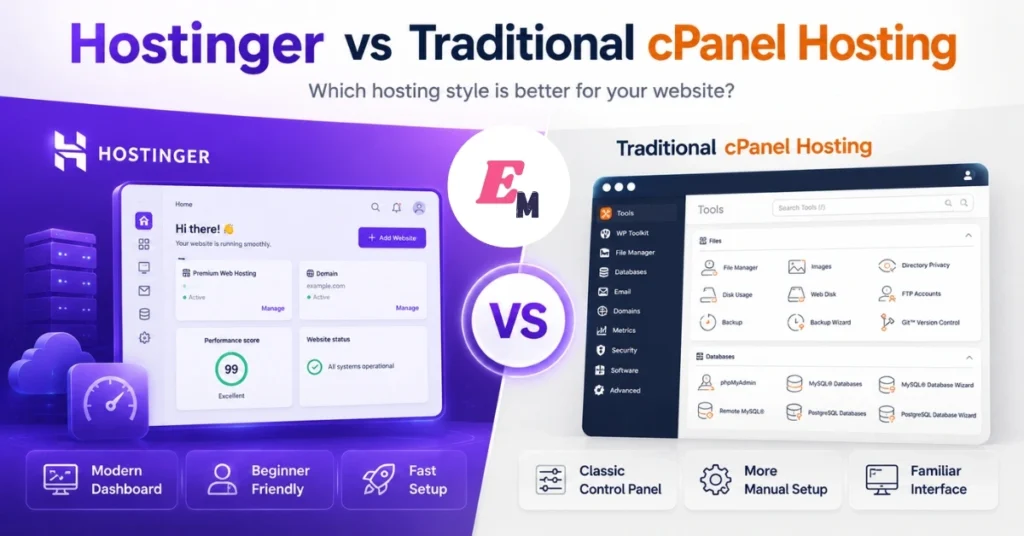
Many hosting companies use cPanel. It is powerful, but it can feel complicated for beginners. Hostinger uses hPanel instead, which is simpler and more modern.
| Feature | Hostinger hPanel | Traditional cPanel |
|---|---|---|
| Beginner-friendly | Yes, very easy to use | Can feel complex |
| WordPress setup | Simple one-click tools | Usually available |
| Design | Modern and clean | More technical layout |
| File management | Included | Included |
| Email tools | Included or available | Included |
| Best for | Beginners and small businesses | Users familiar with hosting |
Overall, hPanel is one of Hostinger’s biggest advantages for new website owners. It removes much of the confusion that beginners often face when managing hosting.
Hostinger for Bloggers
Hostinger is a good option for bloggers because it is affordable and easy to manage. A new blogger usually does not need expensive hosting at the start. Instead, they need a stable platform, WordPress support, SSL, backups, and good speed.
For example, a food blogger can start with a basic WordPress site, publish recipes, add images, and build traffic over time. Later, when traffic increases, the blogger can upgrade to a stronger plan.
Blogger Benefits
Hostinger can help bloggers because it offers:
- Easy WordPress installation
- Low starting cost
- Free SSL
- Simple dashboard
- Website migration
- Good upgrade options
- Helpful tutorials
However, bloggers should still optimize images, use caching, choose a fast theme, and avoid too many plugins.
Hostinger for Small Businesses
Small businesses need a website that looks professional, loads fast, and stays online. Hostinger can be useful for local businesses because it offers affordable hosting and simple website tools.
For example, a cleaning company, salon, consultant, tutor, or repair service can use Hostinger to build a website with service pages, contact forms, pricing details, and customer reviews.
Small Business Benefits
Hostinger is useful for small businesses because it includes:
- Business email options
- Free SSL
- Website builder tools
- WordPress support
- Domain registration
- Easy dashboard
- Upgrade options
In addition, small business owners can manage their website without needing advanced technical skills.
Hostinger for Ecommerce Websites
Hostinger can also support small ecommerce websites. Users can build online stores using WooCommerce, PrestaShop, or Hostinger’s website builder, depending on their needs.
However, ecommerce websites need more resources than simple blogs. They also need stronger security, backups, payment gateway setup, and reliable performance.
For a small store, Hostinger Business or Cloud hosting may be a better option than the cheapest plan. This is because ecommerce websites often use more plugins, product images, cart features, and checkout tools.
Ecommerce Tips
Before using Hostinger for ecommerce, follow these tips:
- Choose a plan with enough storage and resources
- Use SSL on every page
- Compress product images
- Use a lightweight theme
- Keep payment plugins updated
- Set up daily backups if possible
- Test checkout on mobile and desktop
These steps can improve user experience and reduce technical problems.
Common Mistakes to Avoid With Hostinger
Hostinger is simple to use, but beginners can still make mistakes. Avoiding these mistakes can save time, money, and frustration.
Choosing the Cheapest Plan Without Checking Limits
The cheapest plan may be enough for a basic website. However, it may not be ideal for ecommerce, high traffic, or multiple websites. Therefore, compare storage, backups, bandwidth, and performance features before buying.
Read Also: Nationwide FlexOne Account Review 2026: Features, Fees & Pros
Ignoring Renewal Prices
Introductory prices are usually lower than renewal prices. This is common in web hosting. However, you should always check the renewal cost before purchasing a long-term plan.
Installing Too Many WordPress Plugins
Too many plugins can slow down your site and create security risks. Instead, install only the plugins you really need. Also, remove unused plugins and themes.
Uploading Large Images
Large images can make your website slow. This can hurt user experience and SEO. Before uploading images, compress them and use modern formats like WebP when possible.
Forgetting Backups
Backups protect your website from mistakes and technical problems. If your plan includes backup tools, use them. In addition, download important backups before making major website changes.
Expert Tips for Getting Better Results With Hostinger
Hostinger can perform well when your website is properly optimized. However, hosting alone is not enough. You also need good website practices.
Use a Lightweight Theme
A heavy theme can slow your website even if your hosting is good. Choose a clean and fast WordPress theme. In addition, avoid themes with too many built-in scripts and design effects.
Enable Caching
Caching helps your website load faster by storing static versions of pages. Hostinger’s LiteSpeed-based setup can work well with caching tools. As a result, visitors may experience faster page loading.
Optimize Images
Images often make up a large part of page size. Compress images before uploading them. Also, use proper dimensions instead of uploading oversized images.
Keep WordPress Updated
WordPress, themes, and plugins should stay updated. Updates often include security fixes and performance improvements. However, create a backup before major updates.
Use a CDN
A CDN can improve website speed for global visitors. It stores website files closer to users in different locations. This can be useful if your audience comes from several countries.
Hostinger Review Summary Table
| Category | Rating | Notes |
| Ease of use | 9/10 | hPanel is beginner-friendly and clean |
| Pricing value | 9/10 | Strong value, but renewal prices matter |
| WordPress tools | 8.5/10 | Good features for blogs and business sites |
| Performance | 8.5/10 | Good speed when the site is optimized |
| Customer support | 8/10 | 24/7 support, but no phone support |
| Security tools | 8.5/10 | SSL, backups, malware tools, and protections |
| Scalability | 8.5/10 | Easy upgrades to cloud and VPS |
| Best for | Beginners and growing sites | Great for small to medium websites |
Final Recommendation
Hostinger is worth considering if you want affordable hosting that is easy to use. It is especially strong for beginners, bloggers, freelancers, small businesses, and WordPress users.
However, it is important to choose the right plan. A simple blog may work well on a lower plan, while a business website or online store may need Business or Cloud hosting. In addition, always check renewal prices, refund rules, and resource limits before buying.
Overall, Hostinger offers a strong balance of price, features, usability, and performance. For many users, it is one of the easiest ways to start a website in 2026.
Hostinger vs Other Popular Hosting Providers
Hostinger is not the only web hosting company in the market. However, it stands out because it offers a good balance between price, features, and ease of use. Still, the best hosting provider depends on your website goals.
Hostinger vs Bluehost
Bluehost is another popular hosting provider, especially for WordPress beginners. It is well known in the hosting industry and offers simple WordPress setup tools.
However, Hostinger may feel easier for some beginners because hPanel is clean and modern. In addition, Hostinger’s starting prices are often very competitive during promotions.
Bluehost can still be a good choice for users who want a traditional hosting experience. On the other hand, Hostinger may be better for users who want a simple dashboard, affordable plans, and strong beginner tools.
Hostinger vs SiteGround
SiteGround is known for strong performance, helpful support, and managed WordPress tools. However, SiteGround usually costs more than Hostinger, especially after renewal.
Hostinger is better for budget-focused users who still want good hosting features. Meanwhile, SiteGround may be better for users who want premium support and are willing to pay more.
For small websites, Hostinger can be enough. For websites where premium support is a top priority, SiteGround may be worth comparing.
Read Also: Wise Review 2026: Is It the Best Way to Send Money Abroad?
Hostinger vs Namecheap
Namecheap is popular for domain registration and affordable hosting. It can be a good option for users who want low-cost domains and basic hosting.
However, Hostinger usually offers a more polished website-building experience. Its hPanel, website migration, WordPress tools, and AI builder features make it attractive for beginners.
Namecheap may be useful if your main goal is domain buying. Hostinger may be better if your main goal is building and managing a website easily.
Hostinger vs GoDaddy
GoDaddy is one of the most recognized domain and hosting brands. It offers domains, hosting, email, marketing tools, and website builder services.
However, many beginners may find Hostinger’s dashboard simpler. Hostinger also focuses strongly on affordable website hosting with easy setup tools.
GoDaddy can be useful if you want many business services in one place. Hostinger may be better if you want simple web hosting, WordPress support, and lower starting costs.
Hostinger Performance Optimization Checklist
Buying hosting is only the first step. To get better speed and SEO results, you should also optimize your website properly. Even good hosting can feel slow if your website is heavy.
Use These Speed Optimization Tips
Follow these practical steps after launching your Hostinger website:
- Enable caching
- Compress all images
- Use WebP image format when possible
- Choose a lightweight theme
- Remove unused plugins
- Avoid too many tracking scripts
- Use a CDN if your audience is global
- Keep your database clean
- Minify CSS and JavaScript when safe
- Test your website on mobile and desktop
These steps can improve loading speed and user experience. As a result, visitors may stay longer and interact more with your content.
Mobile Speed Matters Most
Many users visit websites from mobile devices. Therefore, your website should load quickly on phones, not only on desktop computers.
Use a responsive theme, readable font sizes, clear buttons, and compressed images. In addition, avoid popups that block content on small screens.
For example, a blog post with large images, heavy ads, and many scripts may load slowly on mobile. Instead, keep the design clean and focus on useful content.
Hostinger Content Website Strategy
Hostinger can be a good foundation for content websites, but hosting alone will not bring traffic. You still need helpful content, proper SEO, and a smart publishing plan.
Create Helpful Content First
Google rewards content that helps real users. Therefore, avoid thin articles that only repeat basic information. Instead, answer real questions, explain topics clearly, and add practical examples.
For example, a hosting blog should not only list features. It should explain who each plan is best for, what beginners should avoid, and how users can save money.
Build Topic Clusters
Topic clusters help search engines understand your website better. A topic cluster includes one main guide and several related supporting articles.
For a Hostinger or web hosting website, you can create articles such as:
- How to start a WordPress blog with Hostinger
- Hostinger shared hosting vs cloud hosting
- How to connect a domain to Hostinger
- How to migrate a website to Hostinger
- Best WordPress themes for Hostinger
- How to speed up a Hostinger website
- Hostinger refund policy explained
- Hostinger pricing and renewal cost guide
Then, link these articles together naturally. This improves internal linking and helps users find more useful information.
Update Hosting Content Regularly
Hosting prices, features, and promotions can change. Therefore, update your Hostinger review at least every few months.
When updating, check:
- Current pricing
- Renewal costs
- Plan features
- Storage limits
- Backup options
- Support options
- Refund policy
- New AI tools
- Performance features
Updated content is more useful for readers. In addition, it can improve trust because visitors know the information is not outdated.
Hostinger Trust and Transparency Tips
A good review should be honest. Do not only highlight benefits. Also explain limitations, best use cases, and who should avoid the product.
Add Real Testing When Possible
If you are publishing this review on your own website, add your own test results. For example, you can test page speed, uptime, dashboard usability, and support response quality.
Useful review tests include:
- WordPress installation experience
- Website migration process
- Dashboard navigation
- Page loading speed
- Uptime monitoring
- Backup restore process
- Support chat experience
This can improve EEAT because readers see that you have practical experience, not only copied information.
Add Screenshots
Screenshots help readers understand the product better. Add original screenshots of hPanel, WordPress setup, backup tools, migration request, and pricing pages.
However, avoid showing private account information. Blur emails, names, domains, billing details, and server IDs before publishing.
Be Clear About Affiliate Links
If you earn money from Hostinger referrals or affiliate links, add a clear affiliate disclosure. This helps build trust and keeps your website transparent.
For example, you can write:
“This article may contain affiliate links. If you buy through our link, we may earn a commission at no extra cost to you. We only recommend tools that may be useful for our readers.”
This type of disclosure is simple, honest, and user-friendly.
Hostinger Review Conclusion
Hostinger is a solid hosting provider for beginners, bloggers, small businesses, portfolio owners, affiliate marketers, and WordPress users. It offers affordable plans, a simple dashboard, free SSL, website migration, backups, WordPress tools, AI features, and clear upgrade paths.
However, Hostinger is not perfect for everyone. It does not offer phone support, and its lowest prices usually require long-term payment. In addition, renewal prices can be higher than the first-term promotional cost.
Overall, Hostinger is worth considering if you want an affordable and easy way to launch a website in 2026. It gives beginners enough tools to start quickly, while also offering cloud and VPS options for users who need more power later.
FAQs About Hostinger
Yes, Hostinger is good for beginners because it has a simple dashboard, one-click WordPress installation, free SSL, website migration, and helpful setup tools. In addition, its hPanel is easier to understand than many traditional hosting dashboards.
Yes, Hostinger works well for WordPress websites. It includes managed WordPress tools, LiteSpeed-based performance features, automatic updates, backups, and easy WordPress installation. However, you should choose the right plan based on your traffic and website size.
Yes, Hostinger offers free website migration after you purchase a hosting plan. Users can request migration through hPanel, which helps reduce the technical work required to move a website.
Yes, Hostinger offers a 30-day money-back guarantee for eligible services. However, some items are excluded, including certain domain services, completed transfers, some add-ons, and other non-refundable products.
Hostinger is often better than many very cheap hosting providers because it offers a cleaner dashboard, useful features, free migration, SSL, backups, and upgrade options. However, the best choice depends on your budget, traffic, and support needs.