


Mercury Review 2026: Is It the Right Business Banking Platform?
Finding the right business banking platform is an important decision for any company. Whether you’re launching a startup, running an online business, or managing a growing SaaS company, your bank should help simplify financial management instead of creating extra work.
Mercury has become one of the most talked-about digital banking platforms for founders and technology companies. Its modern interface, low fees, and startup-focused features have attracted thousands of businesses across the United States. However, it isn’t the perfect solution for every business model.
This Mercury Review 2026 explains how the platform works, what it costs, its biggest advantages, possible drawbacks, and who should consider using it. By the end of this guide, you’ll know whether Mercury matches your business needs or if another banking solution may be a better fit.
What Is Mercury?
Mercury is a financial technology company that provides digital banking services for businesses. Instead of operating as a traditional bank with physical branches, Mercury partners with FDIC-insured banks to deliver checking accounts, savings accounts, payment services, debit cards, and cash management tools through an online platform.
The entire experience is designed for businesses that operate digitally. Founders can open accounts online, send payments, manage team spending, and monitor company finances from a single dashboard.
Unlike many traditional banks, Mercury focuses on making business banking simple, fast, and easy to use.
Key Features at a Glance
Mercury offers several tools designed specifically for modern businesses.
- Business checking and savings accounts
- Virtual and physical debit cards
- Domestic and international wire transfers
- ACH payments
- Expense management
- Team permissions
- API access for developers
- Invoice creation
- Accounting integrations
- Cash management through Mercury Treasury
These features make Mercury especially attractive for software companies, eCommerce brands, agencies, consultants, and venture-backed startups.
Who Should Use Mercury?
Mercury works best for businesses that manage most of their finances online. If your company rarely handles physical cash and prefers digital payments, Mercury offers an efficient banking experience.
Ideal users include:
- SaaS startups
- Software companies
- Digital agencies
- Marketing firms
- Freelancers
- Online businesses
- eCommerce stores
- Technology startups
- Venture-backed companies
- Remote-first businesses
For these businesses, Mercury provides nearly everything needed for everyday banking without unnecessary complexity.
Example
Imagine a five-person software startup that receives customer payments online, pays contractors through bank transfers, and tracks expenses digitally. Mercury fits this workflow well because everything can be managed from one dashboard.
Who May Need Another Banking Solution?
Although Mercury serves many digital businesses well, it is not ideal for every company.
Businesses that regularly deposit cash or rely on local branch services may experience limitations.
Mercury may not be the best option if your business:
- Accepts large cash payments
- Deposits checks frequently
- Needs in-person banking
- Requires branch support
- Depends on telephone customer service
- Uses complex approval workflows
- Manages many separate operating accounts
For example, a local construction company collecting customer payments in cash would likely benefit more from a traditional business bank with nearby branches.
Similarly, retail stores and restaurants that handle daily cash deposits may find Mercury less convenient.
Read Also Article: Wise Review 2026: Is It the Best Way to Send Money Abroad?
Mercury Pros and Cons
Choosing any business banking platform involves weighing the advantages against the limitations.
Pros
- No monthly fee on the Core plan
- Modern and easy-to-use dashboard
- Fast online account opening
- Free ACH transfers
- Competitive wire transfer options
- Virtual debit cards
- Team permission controls
- Excellent developer API
- QuickBooks and Xero integrations
- High FDIC coverage through partner-bank sweep programs
Cons
- No physical branches
- Limited cash deposit options
- No phone support
- Some advanced tools require paid plans
- Treasury accounts are investment products rather than bank deposits
- Businesses may still need a secondary bank for cash handling
Overall, Mercury offers excellent value for digital-first businesses but becomes less practical for companies that depend on traditional banking services.
How Mercury’s Banking Model Works
One of the most misunderstood aspects of Mercury is that it is not a traditional bank.
Instead, Mercury is a financial technology platform that partners with regulated banks to provide banking services.
Here’s how the structure works:
| Component | Responsibility |
|---|---|
| Mercury | Banking software, dashboard, cards, payment tools |
| Partner Banks | Hold customer deposits |
| FDIC Insurance | Provided through partner banks and sweep networks |
This approach has become common among modern fintech companies because it combines innovative software with the security of established banking institutions.
For most businesses, the experience feels the same as using an online bank. However, understanding this structure helps explain how deposits are protected and how banking services are delivered.
FDIC Insurance Explained
One feature that attracts many startups is Mercury’s expanded FDIC insurance coverage.
Instead of keeping all deposits at one financial institution, eligible balances can be distributed across multiple participating banks through sweep networks.
This allows qualifying deposits to receive significantly more insurance protection than the standard single-bank FDIC limit.
For startups holding investor funding or large operating balances, this additional protection can provide valuable peace of mind.
However, businesses should remember that Mercury Treasury follows different protection rules because it is an investment product rather than a traditional deposit account.
Read Also Article: Payoneer Review 2026: Is It Worth It for Freelancers?
Why Startups Choose Mercury
Many founders choose Mercury because it removes common frustrations associated with traditional business banking.
Instead of visiting branches, completing paperwork, and paying unnecessary fees, businesses can manage everything online.
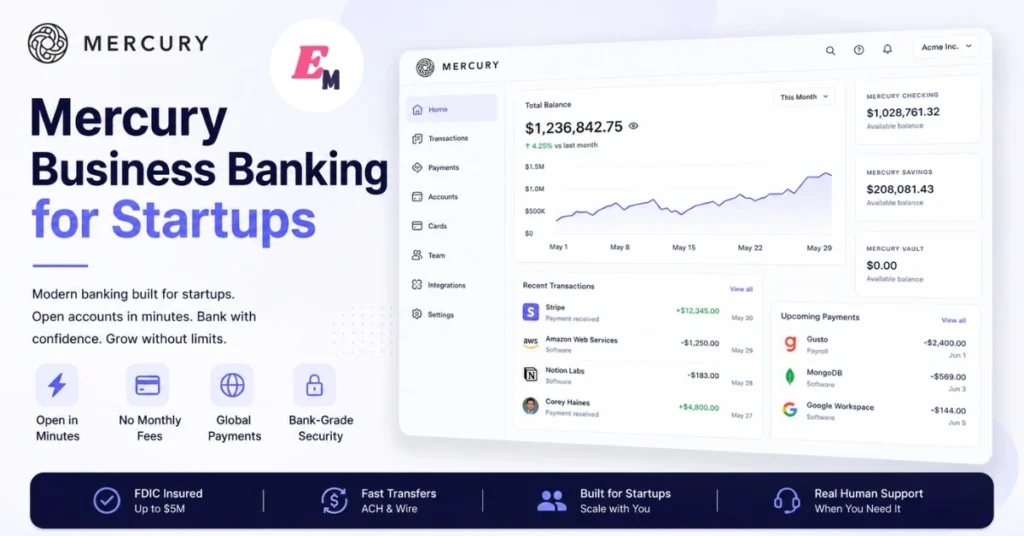
Popular reasons startups prefer Mercury include:
- Fast digital onboarding
- Clean user interface
- Modern developer tools
- Low operating costs
- Simple team management
- Built-in payment features
- Easy accounting integrations
- Scalable banking experience
For companies that operate almost entirely online, these benefits often save both time and money.
Mercury Pricing Plans Explained
Mercury offers three pricing plans designed for businesses at different growth stages. Whether you’re launching your first company or managing a larger finance team, you can choose a plan that matches your operational needs.
While the free Core plan covers everyday banking, the paid plans unlock more advanced finance tools, approval workflows, reimbursements, and automation.
Mercury Pricing Comparison
| Feature | Core | Plus | Pro |
|---|---|---|---|
| Monthly Fee | $0 | $35/month | $350/month |
| Business Checking | ✔ | ✔ | ✔ |
| Business Savings | ✔ | ✔ | ✔ |
| ACH Transfers | ✔ | ✔ | ✔ |
| Wire Transfers | ✔ | ✔ | ✔ |
| Debit Cards | ✔ | ✔ | ✔ |
| Invoice Creation | Basic | Advanced | Advanced |
| Recurring Invoices | ✖ | ✔ | ✔ |
| ACH Debit Collection | ✖ | ✔ | ✔ |
| Expense Reimbursements | Limited | More Users | Large Teams |
| Bill Pay | Basic | Higher Limits | High Volume |
| API Features | Limited | Limited | Advanced |
| NetSuite Automation | ✖ | ✖ | ✔ |
Note: Pricing and features may change over time. Always verify the latest details before choosing a plan.
Which Mercury Plan Is Best?
Choosing the right plan depends on your business size rather than simply selecting the most expensive option.
Mercury Core
Mercury Core works well for:
- Freelancers
- Small startups
- New LLCs
- Consultants
- Agencies
- Online businesses
It includes everything most small companies need, including checking, savings, debit cards, ACH payments, and basic invoicing.
For many startups, the free plan remains sufficient for several years.
Mercury Plus
Mercury Plus is better suited for businesses with growing finance operations.
It becomes valuable when your team needs:
- More bill payments
- Employee reimbursements
- Recurring invoices
- ACH collections
- Additional user access
Instead of replacing your accounting software, Plus helps streamline financial operations inside Mercury.
Mercury Pro
Mercury Pro targets larger organizations that require automation and enterprise-level financial management.
This plan is most useful for:
- Venture-backed startups
- High-growth SaaS companies
- Businesses with dedicated finance teams
- Companies using NetSuite
- Organizations building custom banking workflows
Although the monthly cost is significantly higher, the automation capabilities can save considerable time for larger businesses.
Read Also Article: Stripe Review 2026: Features, Fees, Pros & Cons Explained
Mercury Treasury Explained
Many startups raise investment capital but leave the money sitting in a checking account earning little or no return.
Mercury Treasury is designed to solve this problem.
Instead of keeping idle cash in a traditional bank account, eligible funds can be invested in professionally managed money market funds.
This allows businesses to earn potential returns while maintaining relatively easy access to their funds.
Important Difference
Mercury Treasury is not a savings account.
Understanding the distinction is important before moving company funds.
| Business Checking | Mercury Treasury |
|---|---|
| Bank Deposit | Investment Product |
| FDIC Insurance | No FDIC Insurance |
| Stable Deposit | Investment Value May Vary |
| Daily Banking | Cash Management |
Businesses should carefully review Treasury disclosures before investing operating cash.
If immediate access to every dollar is essential, keeping sufficient funds in checking remains a smart practice.
Mercury Payments and Transfers
One area where Mercury performs well is digital payments.
The platform allows businesses to send and receive money through several methods without relying on branch banking.
Payment options include:
- ACH transfers
- Domestic wires
- International wires
- Internal account transfers
- Debit card payments
For companies making frequent online payments, Mercury can reduce administrative work while keeping costs predictable.
Debit Cards and Expense Management
Mercury includes both physical and virtual debit cards.
Virtual cards are particularly useful for:
- Online subscriptions
- Software purchases
- Advertising platforms
- Vendor payments
- Team spending
Businesses can issue cards to employees while maintaining control over permissions.
This helps reduce the need to share a single company card among multiple team members.
Team Permissions
Growing businesses often need different levels of account access.
Mercury allows administrators to assign permissions based on each employee’s responsibilities.
For example:
- Owners receive full control.
- Bookkeepers can view transactions.
- Finance staff manage payments.
- Employees receive assigned debit cards.
This approach improves security while simplifying day-to-day operations.
Mercury API for Developers
One feature that separates Mercury from many traditional business banks is its developer-friendly API.
Companies can build custom financial workflows directly into their applications.
Common examples include:
- Automated payment processing
- Internal financial dashboards
- Custom reporting
- Accounting automation
- Workflow integrations
For software companies, this flexibility can eliminate repetitive manual tasks.
However, advanced API capabilities are primarily available through the Pro plan.
Read Also Article: Revolut Business Review 2026: Features, Fees & Pros Explained
QuickBooks Online and Xero Integration
Accounting software integration is essential for most businesses.
Mercury connects with both QuickBooks Online and Xero to help simplify bookkeeping.
Transactions can automatically flow into your accounting software, reducing manual data entry.
How Synchronization Works
Mercury uses a one-way synchronization process.
This means:
- Transactions move from Mercury into your accounting software.
- Changes made inside QuickBooks or Xero do not automatically update Mercury.
As a result, accountants should complete transaction categorization and reconciliation within the accounting software rather than expecting those edits to appear inside Mercury.
Understanding this workflow before setting up your books can prevent confusion during month-end reconciliation.
Security Features
Security remains one of the most important considerations when selecting a banking platform.
Mercury includes multiple safeguards designed to protect business accounts.
Key security features include:
- Multi-factor authentication
- Encrypted connections
- Secure login monitoring
- User permission controls
- Virtual debit cards
- Fraud monitoring
- Account activity notifications
Although no financial platform can eliminate every risk, these features help businesses reduce unauthorized access and improve account protection.
Compliance Reviews and Account Verification
Like all regulated financial institutions, Mercury follows banking compliance requirements.
Occasionally, accounts may undergo additional verification or compliance reviews.
These reviews can occur for several reasons, including:
- Identity verification
- Regulatory requirements
- Business ownership changes
- Unusual transaction activity
- Risk assessments
Providing accurate business information during the application process can help reduce delays.
Keeping organized financial records also makes future reviews easier if additional documentation is requested.
Mercury Pros and Cons at a Glance
Every business banking platform has strengths and weaknesses. Understanding both sides helps you choose the right solution for your company.
Pros
- Free Core plan with no monthly maintenance fee
- Fast online account opening process
- Modern and intuitive dashboard
- Business checking and savings accounts
- Virtual and physical debit cards
- Team permission management
- ACH payments and domestic wire transfers
- Accounting integrations with QuickBooks Online and Xero
- Developer-friendly API for automation
- Expanded FDIC insurance through partner-bank sweep programs
Cons
- No physical branches
- Cash deposits are not supported
- Limited phone-based customer support
- Some advanced tools require paid plans
- Treasury is an investment product, not a bank account
- One-way accounting synchronization
- Not ideal for businesses handling large amounts of physical cash
For most digital businesses, these limitations are manageable. However, companies that rely on in-person banking should consider maintaining an account with a traditional financial institution.
Mercury vs Traditional Business Banks
Choosing between Mercury and a traditional bank depends largely on how your business operates.
| Feature | Mercury | Traditional Bank |
|---|---|---|
| Online Account Opening | ✔ | Usually Slower |
| Physical Branches | ✖ | ✔ |
| Cash Deposits | ✖ | ✔ |
| Business Checking | ✔ | ✔ |
| Mobile Banking | Excellent | Good |
| Digital Payments | Excellent | Good |
| Developer API | ✔ | Limited |
| Startup Features | Excellent | Basic |
| Team Spending Controls | ✔ | Varies |
| Modern Dashboard | ✔ | Often Limited |
If your company operates entirely online, Mercury often provides a smoother experience than many traditional banks.
Read Also Article: Airwallex Review 2026: Features, Fees, Pros & Cons
Mercury vs Relay
Mercury and Relay are both popular options for modern businesses, but they focus on different priorities.
Mercury
Best for:
- SaaS companies
- Technology startups
- Venture-backed businesses
- Developers
- Businesses using APIs
- Companies with simple account structures
Relay
Best for:
- Businesses needing multiple checking accounts
- Companies separating payroll and tax funds
- Organizations with detailed cash management
- Teams requiring advanced spending controls
Neither platform is objectively better. Instead, each serves a different type of business.
Real-World Example
Imagine two businesses.
The first is a software startup with ten remote employees. Customer payments arrive online, contractors receive ACH transfers, and the finance team uses QuickBooks Online.
Mercury fits this workflow almost perfectly.
Now consider a local retail store. The business accepts cash every day, deposits money at a nearby branch, and occasionally requests cashier’s checks.
In this situation, a traditional business bank would likely provide a better experience.
Matching the banking platform to your daily operations is more important than simply choosing the most popular option.

Expert Tips Before Opening a Mercury Account
If you’re considering Mercury, these best practices can help you get the most value from the platform.
Keep a Secondary Bank Account
Many experienced business owners maintain a traditional business bank alongside Mercury.
This provides:
- Cash deposit access
- Branch services
- Backup banking
- Additional payment flexibility
Review Your Cash Flow
Think about how money moves through your business.
Questions to ask include:
- Do customers pay online or in cash?
- How often do you send wire transfers?
- Will employees need company cards?
- Do you require multiple business accounts?
Answering these questions before opening an account can prevent future frustrations.
Plan Your Accounting Workflow
Although Mercury integrates with accounting software, reconciliation still requires proper bookkeeping.
Create a monthly accounting process that includes:
- Transaction categorization
- Bank reconciliation
- Expense reviews
- Financial reporting
A consistent workflow saves time during tax season.
Is Mercury Worth It in 2026?
For many startups and online businesses, the answer is yes.
Mercury delivers a modern banking experience that removes much of the friction associated with traditional business banking.
Its strengths include:
- Easy account management
- Digital-first design
- Strong payment capabilities
- Excellent user experience
- Competitive pricing
- Useful startup features
However, Mercury is not designed for every business.
Companies that rely on cash deposits, branch visits, or complex treasury operations may benefit from pairing Mercury with a traditional bank or selecting another banking platform altogether.
The right decision depends on your business model rather than the popularity of any single provider.
Final Verdict
Mercury remains one of the strongest business banking platforms for startups, technology companies, freelancers, and online businesses in 2026.
Its clean interface, free banking plan, developer-friendly tools, and modern financial features make it an excellent choice for companies operating in a digital environment.
Nevertheless, businesses should carefully evaluate their operational needs before making a decision. If your company regularly handles physical cash or requires branch banking, combining Mercury with a traditional financial institution may provide the best overall solution.
Ultimately, Mercury succeeds by simplifying business banking for companies that rarely need to visit a bank in person.
Key Takeaways
- Mercury is designed primarily for digital-first businesses.
- The free Core plan offers excellent value for startups.
- Partner banks hold customer deposits and provide FDIC insurance.
- Mercury Treasury differs from a traditional savings account.
- QuickBooks Online and Xero integrations simplify bookkeeping.
- Virtual cards and team permissions improve spending control.
- Businesses handling cash should consider maintaining a secondary bank account.
- Review your workflow before selecting a pricing plan.
Frequently Asked Questions
No. Mercury is a financial technology company that provides banking services through FDIC-insured partner banks.
Mercury offers a free Core plan along with paid Plus and Pro plans that include additional features.
No. Mercury is an online-first platform and does not support traditional cash deposits.
Yes. Mercury integrates with QuickBooks Online and Xero to help streamline accounting workflows.
Yes. Mercury is one of the best options for startups, SaaS businesses, online companies, and digital agencies that primarily use electronic payments.